Lab pass-offs will not be done in person. Instead, you will run a script that will perform the official submission of your lab to the GitHub repository. It will do the following:
- Tag your repository with the proper lab-specific tag
- Check to make sure that the
.commitdatefile in your tagged repository is created. (this will be used to determine if you submitted on time)
Important: Before submitting, make sure you have completed the Lifelong Learning and Service requirement for the lab.
To submit your lab, run one of the following commands from within your lab repository:
make submit_lab1
make submit_lab2
make submit_lab3
make submit_lab4_m1
make submit_lab4_m2
make submit_lab4_m3
make submit_lab5_m1
make submit_lab5_m2
make submit_lab5_m3
make submit_lab5_m4
make submit_lab6_m1
make submit_lab6_m2
make submit_lab7
make submit_lab8
You may run the make submit_* script as many times as you like (there is no penalty for multiple submissions).
However, every time you run make submit_*, the submission date of your lab will be updated.
If your submission date is past the deadline for the lab, you will receive a late penalty as described in the syllabus.
If the submission fails . . .
If your make submit_* continues to print messages saying that the commit file has not been created then you may not have GitHub Actions setup properly on your GitHub repository.
Follow these instructions to fix this problem (this is a one-type problem that occurs when you first setup your repository).
-
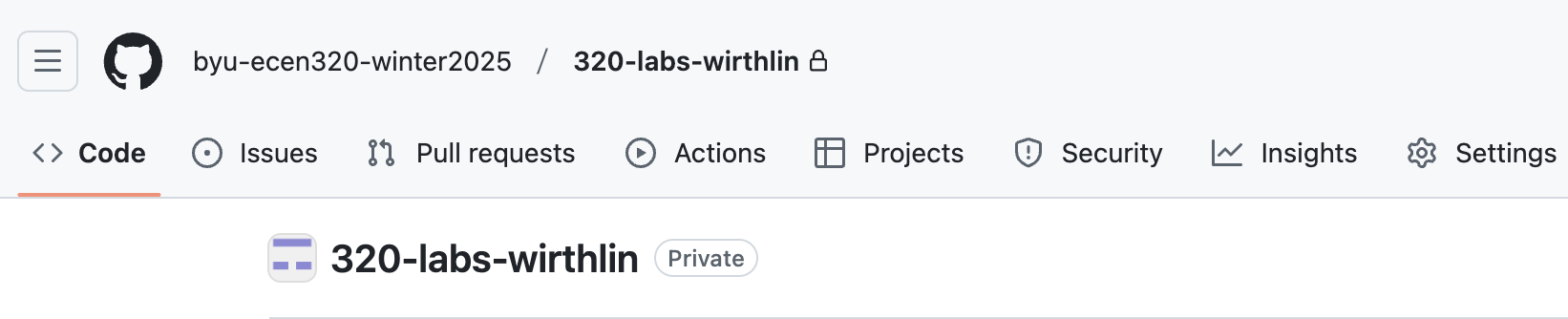
Visit the website of your repository
-
Click on the “Actions” button in the tool-bar of the web page.
You may see the following image:
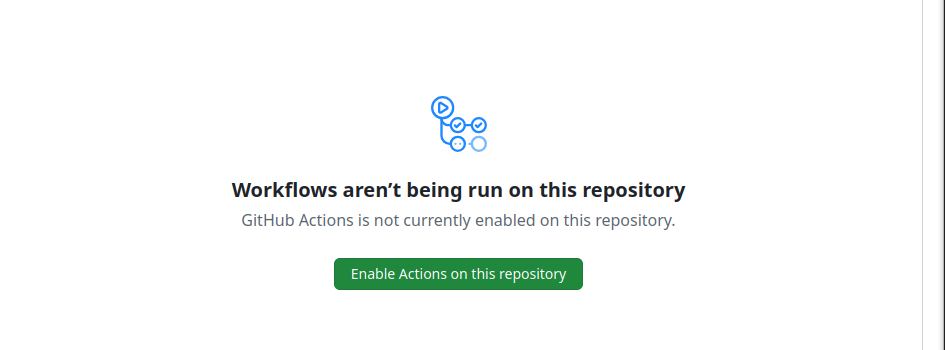
Click “Enable Actions on this repository”
-
Make a small change in your repository. (i.e., change the aboutme.txt or such). Recommit the file and push it to the repository.
-
Rerun the passoff script.